
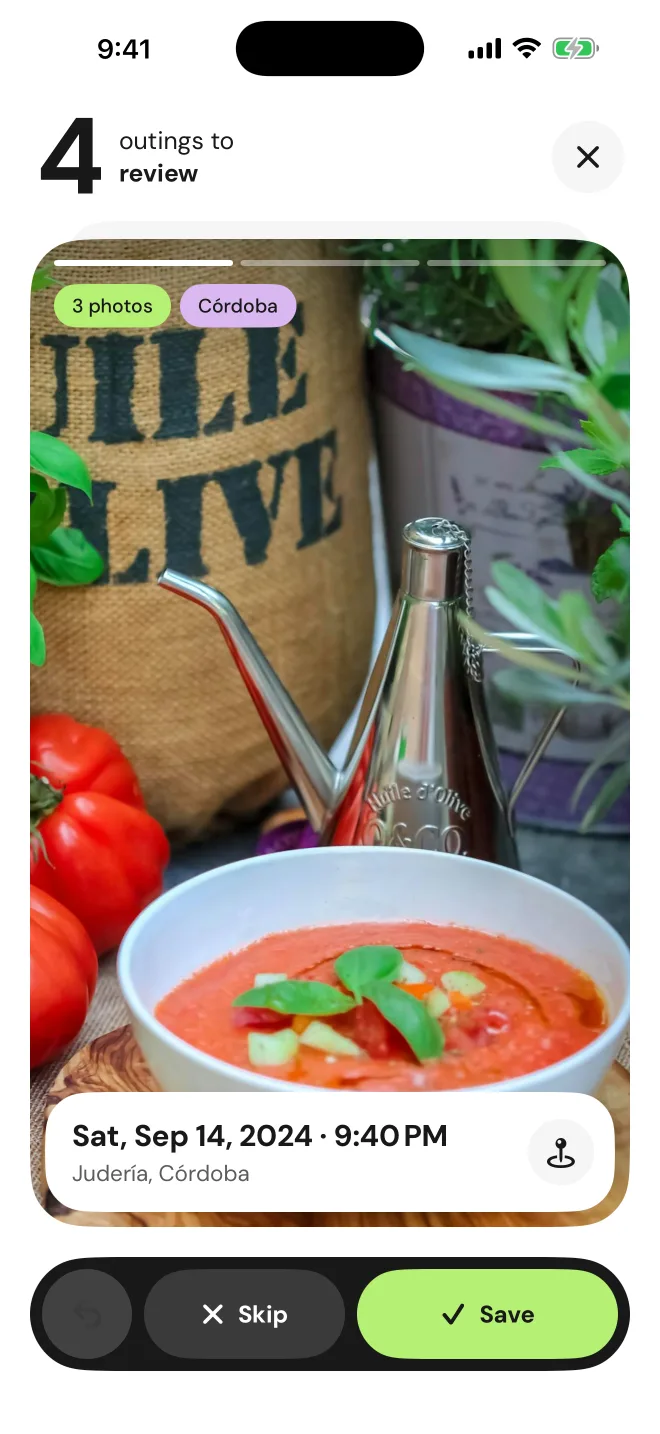
Finds your food photos
Phoodie scans your camera roll and shows you the outings you haven't saved yet, with their photos, date and neighbourhood.
- By day and place
- Skip or log
- No manual search
Phoodie finds the food photos in your camera roll, groups them by outing and you choose which ones to keep. Every restaurant and bar, with what you ordered, what it cost and whether you'd go back.
Download on theApp Store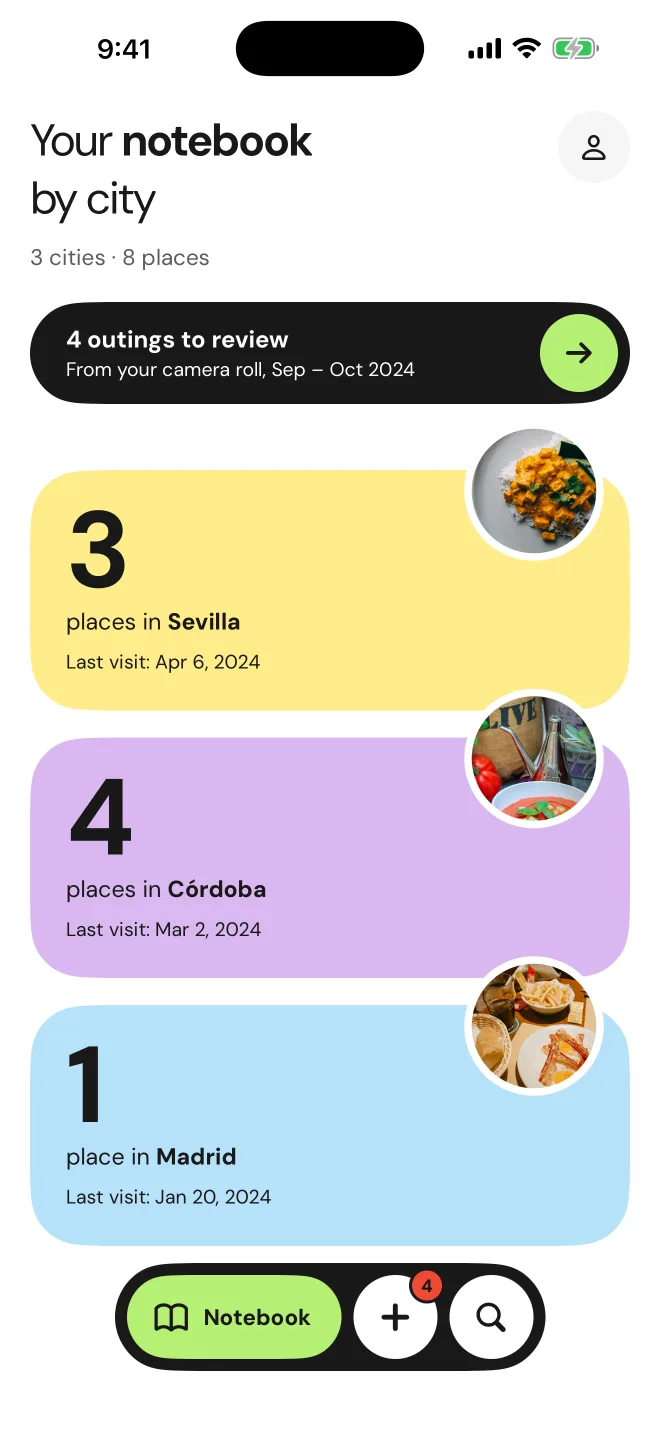
From the photos already in your camera roll to a tidy journal, with almost no typing.
Phoodie finds your food photos and groups them by day and place. No digging around.
Swipe through outings like a deck of cards: log the ones worth keeping, skip the rest.
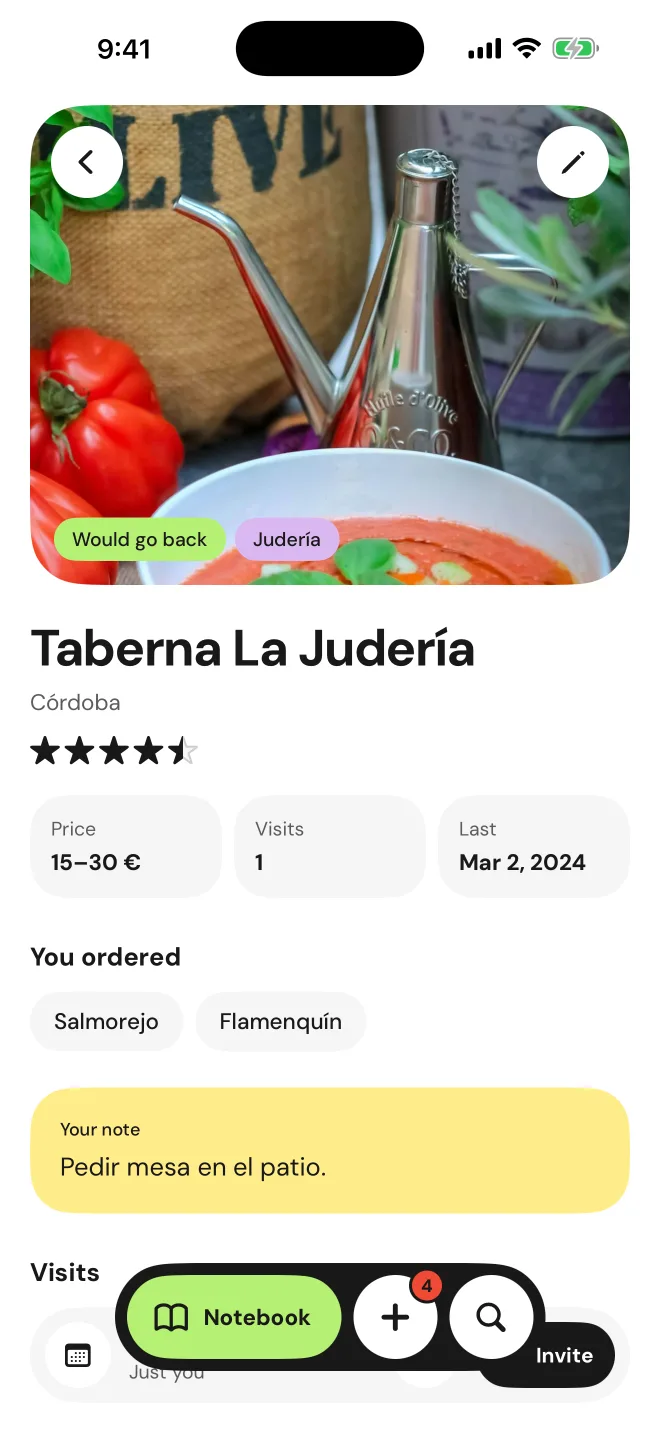
Your places stay sorted by city, with rating, price and what you ordered.
Phoodie scans your camera roll and shows you the outings you haven't saved yet, with their photos, date and neighbourhood.
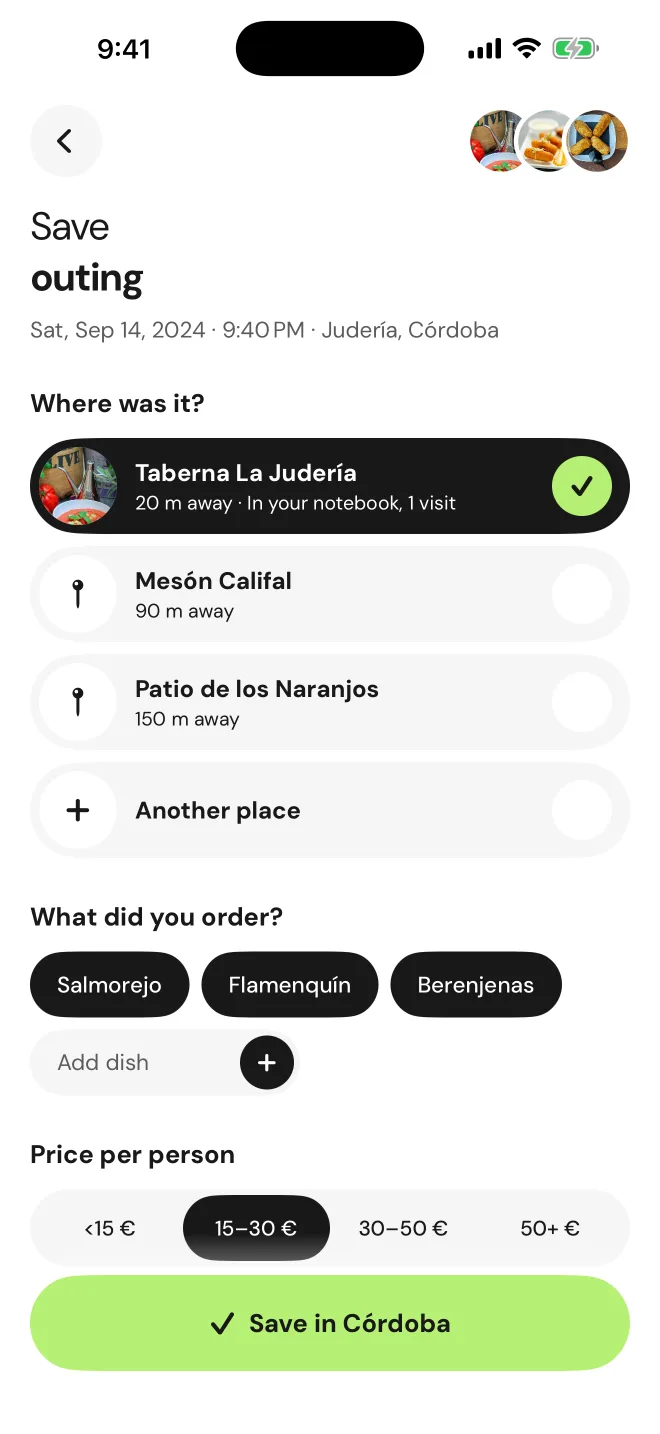
Pick the place from the ones nearby, add the dishes and the price per person. Done.
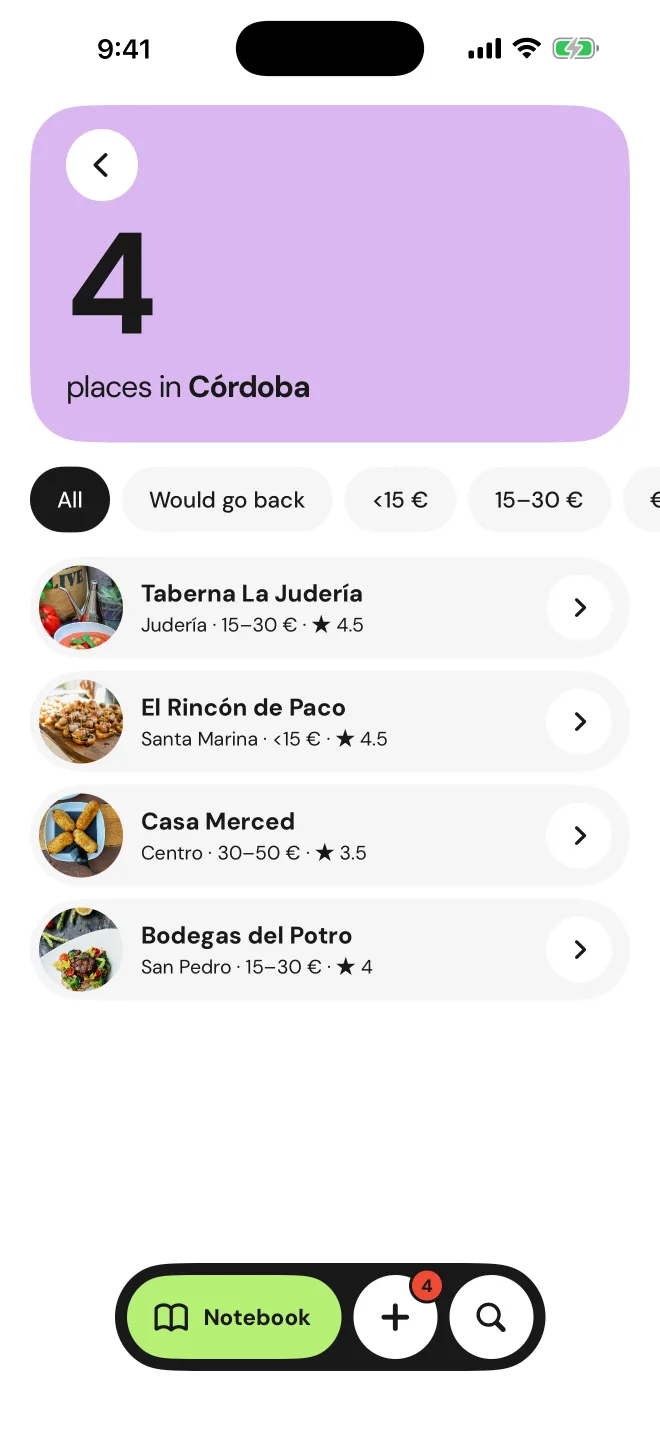
Open a city and filter by price or by places you'd go back to. Perfect for when someone asks for recommendations.
Each place keeps your rating, how many times you've been, when you last went and that note you'll thank yourself for.
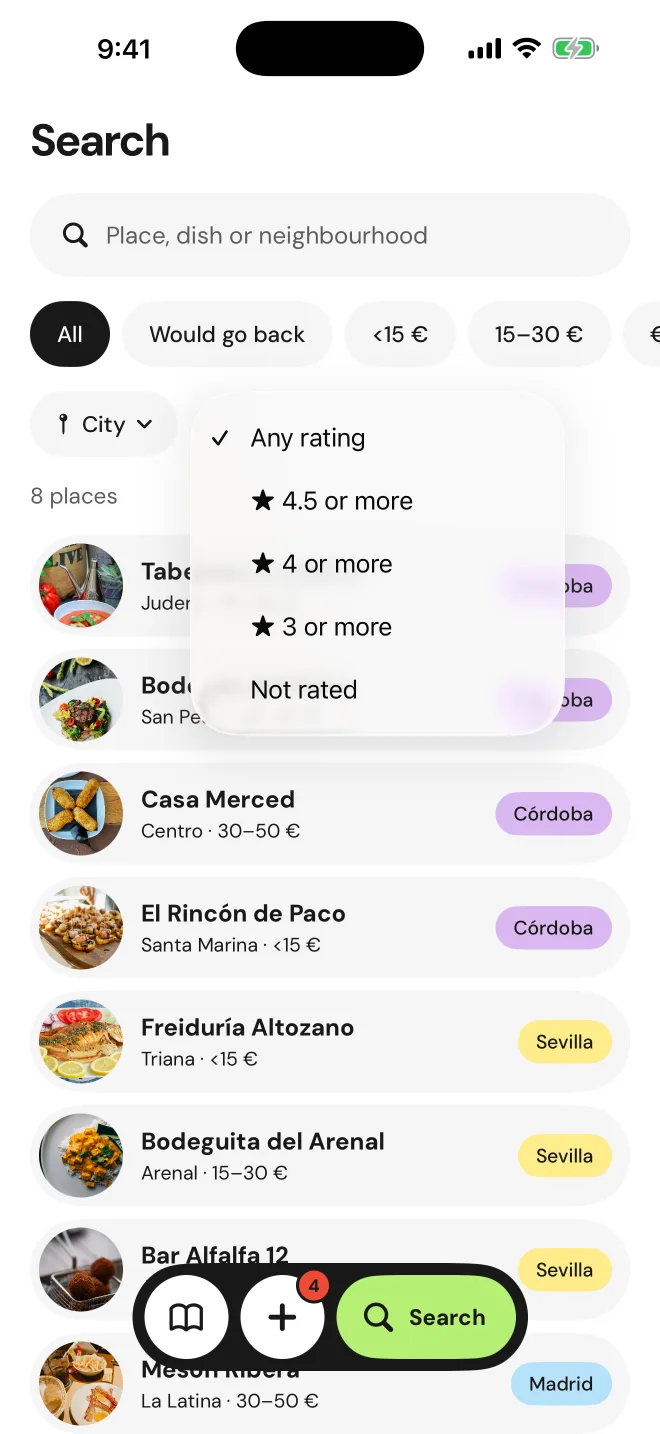
What was that croquetas place called again? Search by name, dish or neighbourhood and filter by city or rating.
Phoodie looks at your camera roll to help you, not to take it.
Phoodie is a free download on the App Store.
For now it's iPhone only, on iOS 17 or later.
No. They're analysed on your phone. They're only uploaded, without location, if you create a link to invite someone to an outing.
Check that Phoodie can access your photos in Settings › Phoodie › Photos. If they're in iCloud, you need a connection. You can also add an outing manually with the + button.
If you had an account, sign in with the same Apple Account and your journal comes back. Without an account, the data stays on the old phone.
English and Spanish.

There are probably a few outings in your camera roll waiting already.
Download on theApp Store